

 March 18, 2026
 No Comments
How to Create Cinematic AI Images Using Google Gemini (Banana Pro)
🔗 Table of Contents
- Introduction
- What is Google Gemini
- Step-by-Step Guide
- Prompt Used
- Prompt Writing Formula
- Different Prompt Styles
- SEO & Marketing Benefits
- Conclusion
🟢 Introduction
AI image generation is changing the way we create content online. With tools like Google Gemini (Banana Pro), you can turn simple ideas into cinematic, high-quality visuals.
Whether you are a marketer, designer, or content creator, this guide will help you generate scroll-stopping images that boost engagement and traffic.
🟢 What is Google Gemini?
🟡 Google Gemini is an advanced AI tool that allows you to:
- Generate images using text prompts
- Upload reference images for better accuracy
- Create photorealistic and cinematic visuals
👉 It is widely used for:
- Social media content
- Advertising creatives
- Blog visuals
- Digital marketing campaigns
🟢 Step-by-Step Guide
🟡 Step 1 – Open Google Gemini


- Visit: https://gemini.google.com
- Login with your account
- Use Gemini Advanced / Pro
🟡 Step 2 – Upload Reference Image
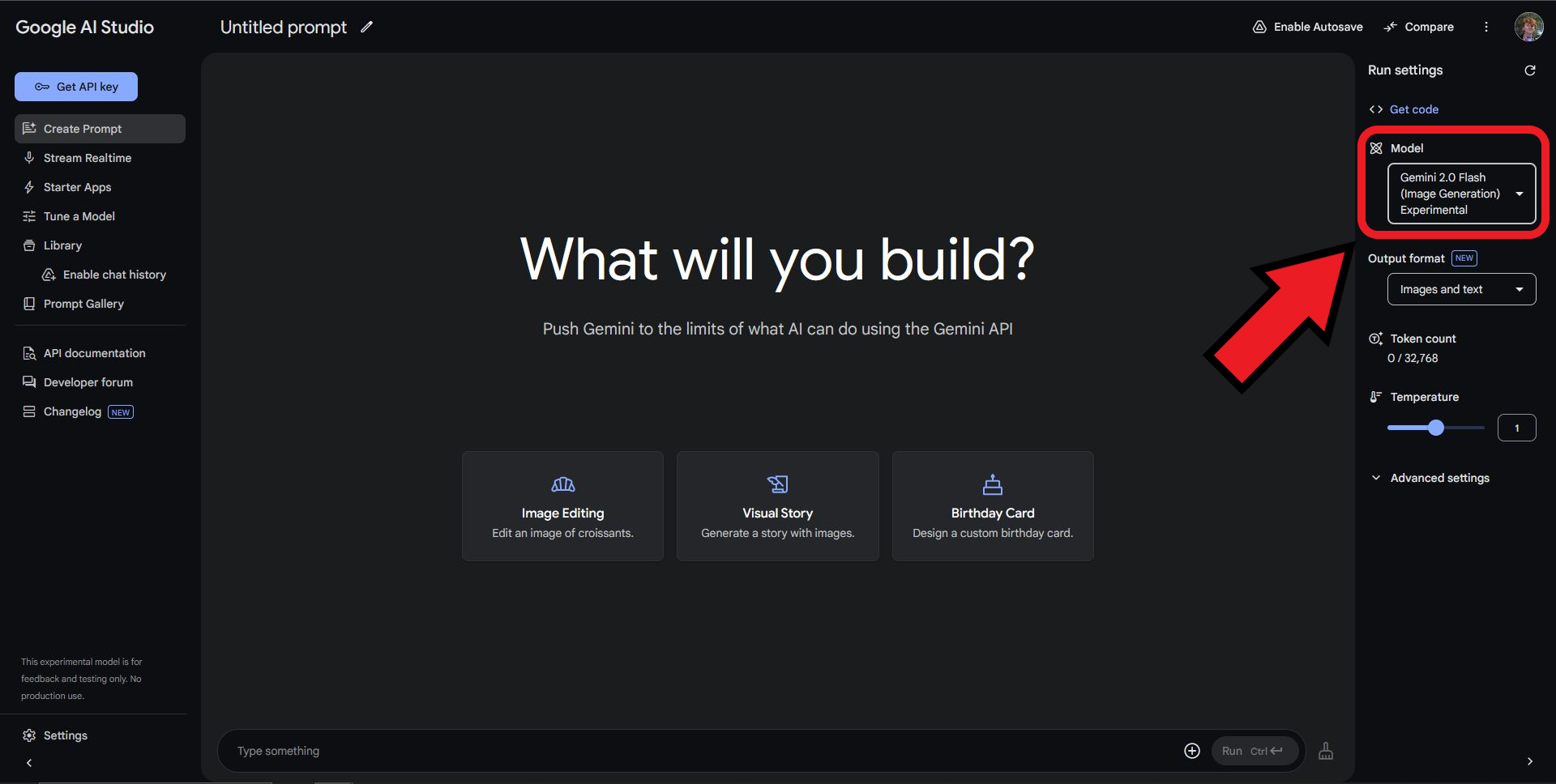

- Upload a clear image
- Helps AI match face & outfit
👉 This step improves realism significantly
🟡 Step 3 – Enter Prompt
Copy and paste this prompt:
A photorealistic cinematic image of the person (based on uploaded photo for face & outfit), smiling while riding a classic Vespa scooter. Shot from a dynamic aerial top view with a diagonal cinematic angle, showing the rider above a surreal ground that transforms into a Google Maps navigation of New York streets.The map glows with a blue navigation line leading to a large red pin destination. At one big intersection stands a signpost labeled Home, School, Office, Mall. Around the roads appear mini-scenes like a pizza shop, gas station, coffee stand, and 24-hour deli.Ultra realistic, cinematic lighting, 8K, highly detailed.Aspect ratio: 9:16.
🟡 Step 4 – Generate Image
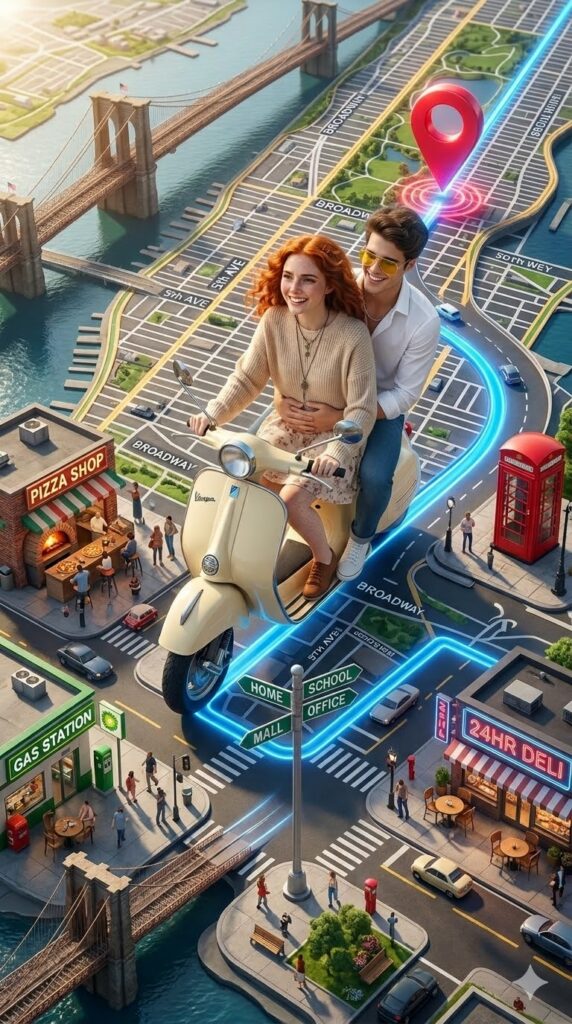
- Click Generate
- Wait 10–20 seconds
- Review output
🟡 Step 5 – Refine Output
- Add “high resemblance to face”
- Add “more detailed environment”
- Improve lighting
🟢 Prompt Used
👉 The key to great AI images is prompt quality.
🟡 Example Prompt Structure
Subject + Action + Camera Angle + Environment + Lighting + Style + Quality
👉 Example:
Person + riding scooter + aerial view + Google Maps city + cinematic lighting + surreal + 8K
🟢 Different Prompt Styles
🟡 1. Travel Style
A cinematic view of a person walking in Paris with glowing streets and Eiffel Tower, golden sunset, ultra realistic.
🟡 2. Corporate Style
A professional standing in a futuristic office with floating dashboards, cinematic lighting, ultra modern.
🟡 3. Fantasy Style
A person flying on a dragon above magical floating islands, cinematic lighting, ultra detailed fantasy world.
🟡 4. Marketing Style
A product placed in a surreal glowing environment, dramatic lighting, ultra realistic commercial ad style.
🟢 SEO & Marketing Benefits
🟡 Using AI-generated images helps you:
- Increase engagement
- Improve click-through rate
- Create unique blog visuals
- Boost website traffic
👉 Perfect for:
- Blogs
- Ads
- Courses
🟢 Conclusion
AI image generation is one of the most powerful tools for modern content creation.
With Google Gemini and the right prompts, you can create:
- Cinematic visuals
- Viral content
- High-converting creatives
🚀 Want to Learn More?
If you want to master AI tools, prompts, and automation:
👉 Explore our courses at Flickoly eLearning